URL Structure: The Ultimate Guide to SEO-Friendly URLs
A URL (Uniform Resource Locator) is the web address to access a specific webpage. It acts as a bridge between users and online content, guiding both visitors and search engines to the right destination. Every website has a unique URL structure that defines its pages’ organization.
Key takeaways
- An SEO-friendly URL is short, lowercase, readable and uses hyphens between words.
- Include the main keyword once, drop stop words, and avoid special characters and needless parameters.
- Use HTTPS on every URL and redirect HTTP to HTTPS with 301s.
- Leave years out of URLs so you can update content without changing the address.
- Only change existing URLs when the gain is clear, and always add 301 redirects.
A typical URL consists of several components:
🔹 Protocol: https:// (Indicates a secure connection)
🔹 Domain Name: example.com (The main website address)
🔹 Path: /seo-best-practices (Specifies the exact page on the site)
👉 Example of a full URL:
https://www.example.com/seo-best-practices
Why is URL Structure Important for SEO?

A well-optimized URL helps users and search engines understand what a page is about before clicking on it. It is critical in website navigation, ranking, and user experience.
🚫 Bad URL Example:
https://www.example.com/p=1234&id=5678
❌ Why it’s bad: Confusing, unreadable, and lacks context for users and search engines.
✅ Good URL Example:
https://www.example.com/seo-friendly-url-guide
✔️ Why it’s good: Descriptive, easy to read, and includes relevant keywords.
Best Practices for an SEO-Friendly URL Structure
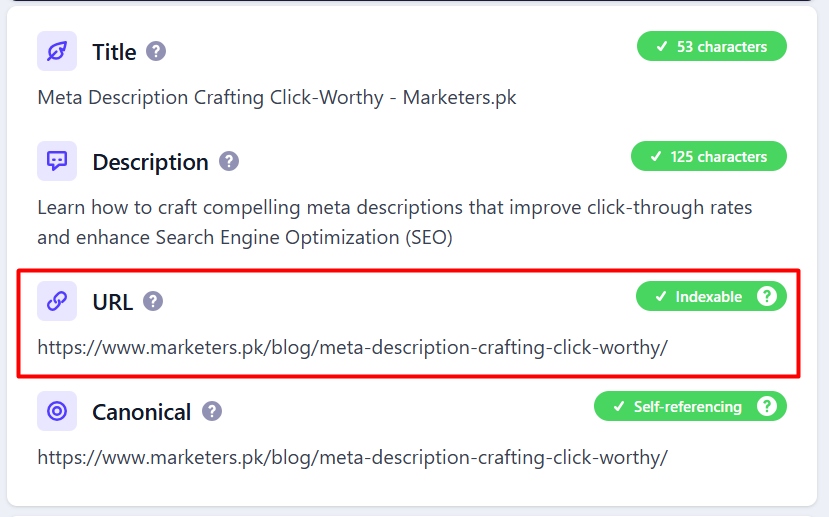
Creating a well-structured URL is a fundamental part of on-page SEO. A clean, descriptive, and keyword-optimized URL improves search rankings, user experience, and website navigation. Below are the best practices to follow when crafting an SEO-friendly URL.
Keep URLs Short and Descriptive
Shorter URLs are easier to read, share, and remember. Long and complex URLs often confuse users and make it harder for search engines to understand the page’s topic.
✅ Best Practice:
example.com/seo-tips
❌ Avoid:
example.com/ultimate-guide-to-the-best-seo-tips-for-beginners-and-experts-2025
🔹 Why? Short URLs improve readability and user engagement while keeping the focus on essential keywords.
Use Keywords Naturally in URLs
Keywords in URLs signal relevance to search engines and users. However, avoid stuffing keywords or making URLs unnaturally long.
✅ Optimized URL:
example.com/complete-guide-to-seo-friendly-urls
❌ Overstuffed URL:
example.com/seo-url-seo-friendly-seo-guide-seo-rankings
🔹 Why? Google favors relevant, natural, and user-friendly URLs, not those overloaded with keywords.
Use Hyphens (-) Instead of Underscores (_)
Google treats hyphens as word separators, while underscores connect words, making them harder to read.
✅ SEO-Optimized URL:
example.com/url-structure-guide
❌ Avoid:
example.com/url_structure_guide
🔹 Why? Url-structure-guide is easier to read, index, and rank than url_structure_guide.
Avoid Special Characters, Stop Words & Dynamic Parameters
Special characters, symbols, and dynamic parameters can make URLs harder to read and rank.
🚫 Avoid:
- Special Characters: example.com/seo@guide#2025!
- Dynamic URLs: example.com/page?id=3456&category=seo&sort=asc
- Stop Words (Excessive use of “the,” “and,” “of”): example.com/the-best-guide-for-seo-ever
✅ Best Practice:
example.com/complete-seo-guide
🔹 Why? Simple URLs improve click-through rates (CTR) and search visibility.
Use Lowercase Letters in URLs
URLs are case-sensitive on some servers, meaning /SEO-Tips and /seo-tips can be treated as two different URLs—leading to duplicate content issues.
✅ Recommended Format:
example.com/seo-tips
❌ Avoid:
example.com/SEO-Tips
🔹 Why? Consistently using lowercase letters prevents technical SEO issues.
Example: Optimized vs. Unoptimized URL
| Optimized URL | Unoptimized URL |
| example.com/seo-friendly-url | example.com/p=1234&cat=seo_tips |
| example.com/blog/url-best-practices | example.com/blog?id=67890 |
| example.com/digital-marketing-strategy | example.com/digitalmarketingstrategy_guide_2025 |
HTTPS and Security in URL Structure

Website security is a crucial factor in SEO and user trust. One of the most significant elements of a secure URL structure is using HTTPS (HyperText Transfer Protocol Secure). This section will explore why HTTPS is essential, how it impacts SEO, and why Google favours SSL-secured websites.
Importance of HTTPS for Security & Trust
HTTPS encrypts data transmitted between a user’s browser and a website, ensuring confidentiality and security. It prevents man-in-the-middle attacks, data interception, and unauthorized access.
🔐 Why HTTPS Matters:
✔️ Encrypts sensitive information (login details, payment data, etc.).
✔️ Builds user trust—visitors feel safer on secure websites.
✔️ Prevents browser warnings (Google Chrome labels non-HTTPS sites as “Not Secure”).
🚨 Non-HTTPS Websites Warning:
If a site uses HTTP instead of HTTPS, browsers warn users that the website may be insecure, leading to higher bounce rates and lower conversions.
How Google Favors SSL-Secured Websites
Since 2014, Google has considered HTTPS a ranking factor. It is a lightweight signal, so HTTPS will not rescue weak content, but it removes an avoidable disadvantage.
📈 SEO Benefits of HTTPS:
✔️ Better search rankings—Google favours secure websites.
✔️ Improved site credibility—Users trust HTTPS websites more.
✔️ Increased conversion rates—Visitors are more likely to use secure websites.
🔍 Google’s Statement on HTTPS & Rankings:
“We’re starting to use HTTPS as a ranking signal. For now, it’s only a lightweight signal… But over time, we may strengthen it because we’d like to encourage all website owners to switch from HTTP to HTTPS.” – Google Webmasters.
HTTPS vs. HTTP Impact on SEO: Example
| Factor | HTTPS (Secure Site) | HTTP (Non-Secure Site) |
| Search Rankings | Boosts SEO rankings ✅ | Lower rankings ❌ |
| User Trust | High trust, no warnings ✅ | “Not Secure” warning ❌ |
| Data Protection | Encrypts user data ✅ | Data is vulnerable ❌ |
| Conversion Rates | Higher conversions ✅ | Lower conversions ❌ |
🚀 Example of a Secure URL:
✅ https://example.com/seo-guide (Secure, SEO-friendly, trusted by users & search engines)
⚠️ Example of an Insecure URL:
🚫 http://example.com/seo-guide (Labeled “Not Secure,” affects rankings & trust)
How to Switch from HTTP to HTTPS
If your website is still using HTTP, it’s time to switch! Here’s how:
🔹 Obtain an SSL Certificate from a trusted provider (Let’s Encrypt, Cloudflare, or paid SSL services).
🔹 Install SSL & Update Internal Links to HTTPS versions.
🔹 Set Up 301 Redirects to ensure visitors and search engines are redirected from HTTP to HTTPS.
🔹 Update Google Search Console & Sitemap with HTTPS URLs.
Using Keywords in URLs for Maximum SEO Impact
Keywords play a crucial role in on-page SEO, and strategic keyword placement in URLs can enhance search visibility and user engagement. However, improper keyword usage—such as keyword stuffing—can negatively affect ranking and user experience.
Where to Place Keywords in URLs for Maximum Impact
Placing keywords correctly in URLs helps search engines and users understand the page content at a glance. Here’s how to do it effectively:
✅ Best Practices for Keyword Placement:
✔️ Include primary keywords that reflect the page topic.
✔️ Keep URLs concise and descriptive, avoiding unnecessary words.
✔️ Place keywords naturally at the beginning of the URL for better emphasis.
✔️ Use hyphens (-) to separate words instead of underscores (_).
🔍 Example of Effective Keyword Placement:
✅ example.com/seo-best-practices (Short, keyword-focused, and relevant)
🚫 Example of Poor Keyword Placement:
❌ example.com/practices-for-seo-best-strategies-techniques (Too long and redundant)
❌ example.com/seobestpractices (Lacks readability; difficult for users & search engines to interpret)
Avoiding Keyword Stuffing in URLs
Keyword stuffing—overloading a URL with keywords—can make it look spammy and untrustworthy, potentially leading to lower rankings. Google prefers URLs that are concise, relevant, and naturally structured.
🚨 Avoid These Common Mistakes:
❌ Overloaded with Keywords:
example.com/seo-tips-seo-strategies-seo-ranking-seo-guide
❌ Irrelevant or Forced Keywords:
example.com/buy-seo-best-seo-tips-2025-free
✅ Best Practice:
example.com/seo-friendly-url-guide (Clean, meaningful, and naturally optimized)
💡 Google’s Recommendation:
“A site’s URL structure should be as simple as possible. Consider organizing your content so that URLs are constructed logically and in a most intelligible manner to humans.” – Google Search Central.
Hyphens vs. Underscores in URLs: Which One is Better for SEO?
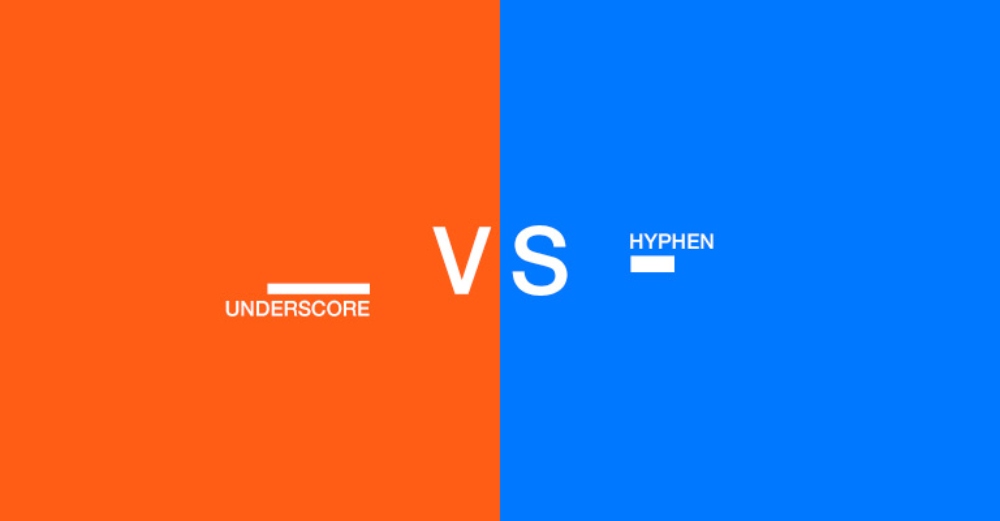
One of the most common questions when structuring URLs is whether to use hyphens (-) or underscores (_) to separate words. While it may seem like a small detail, Google has a clear preference, and using the correct format can impact SEO and search visibility.
Google’s Recommendation: Use Hyphens (-) Over Underscores (_)
Google has officially stated that hyphens are the preferred word separator in URLs because they improve readability and indexing.
🔍 Google’s Official Statement:
“We recommend that you use hyphens (-) instead of underscores (_) in your URLs. We treat hyphens as word separators, while we treat underscores as word joiners.” – Google Search Central
💡 What This Means for SEO:
✅ Hyphens (-) make URLs easier for users and search engines to read.
❌ Underscores (_) make words appear as a single entity, making it harder for search engines to interpret the content.
Why Hyphens Improve Readability & Indexing
🔹 Hyphens Enhance Readability: URLs with hyphens separate words, making them easier for users to understand.
🔹 Google Treats Hyphens as Space Separators: This helps search engines index each word individually, improving relevance for keyword searches.
🔹 Underscores Connect Words: Google reads seo_tips as seotips, making it less effective for search ranking.
Common URL Mistakes to Avoid
A well-structured URL is crucial for SEO, usability, and indexing. However, many website owners unknowingly make mistakes that can hurt rankings, confuse users, and create technical issues. Below are some of the most common URL mistakes and how to avoid them.
Using Dynamic URLs with Too Many Parameters
A database generates a dynamic URL and often contains multiple parameters (e.g., ?id=123&cat=seo&sort=asc). While these URLs serve a technical purpose, they are not SEO-friendly because they lack clarity, context, and keyword relevance.
🚫 Bad URL Example (Dynamic & Confusing):
example.com/product?id=234&category=shoes&sort=asc&color=blue
✅ Good URL Example (Clean & Readable):
example.com/shoes/blue-running-shoes
💡 How to Fix It:
✔️ Use static, keyword-rich URLs instead of long dynamic ones.
✔️ Implement URL rewriting techniques to replace parameters with meaningful words.
✔️ Avoid unnecessary tracking parameters that clutter URLs.
Not Using Lowercase Letters in URLs
URLs are case-sensitive on some servers, meaning:
🚫 example.com/SEO-Tips and example.com/seo-tips might be treated as different pages, causing duplicate content issues.
✅ Best Practice: Use lowercase URL letters to ensure consistency and prevent indexing problems.
💡 Why It Matters:
✔️ Avoids potential duplicate content issues.
✔️ Ensures uniformity across URLs.
✔️ Prevents redirect chains or indexing errors.
Overuse of Stop Words & Unnecessary Words in URLs
Words like “the,” “and,” “of,” “for,” “in,” add little value to a URL and can make it unnecessarily long.
🚫 Bad URL Example (Too Many Stop Words):
example.com/the-best-guide-for-seo-in-2025-and-how-it-works
✅ Good URL Example (Concise & SEO-Friendly):
example.com/best-seo-guide
💡 How to Fix It:
✔️ Remove unnecessary words to keep URLs short and relevant.
✔️ Focus on primary keywords that enhance search visibility.
Using Special Characters & Underscores in URLs
Some characters cause issues for search engines and break URLs when shared.
🚫 Bad URL Example (Special Characters & Underscores):
example.com/seo_tips@2025#guide!
✅ Good URL Example (SEO-Friendly):
example.com/best-seo-tips
💡 Why Special Characters Are a Problem:
✔️ Some browsers & platforms fail to process special characters correctly.
✔️ Underscores connect words instead of separating them (Google prefers hyphens).
Should You Change Existing URLs? How to Do It Safely
Reading a URL guide often tempts site owners to rename every old slug. Changing URLs can cost traffic for a while, so only do it when the benefit is clear.
When a change is worth it
- The URL contains session IDs, random numbers or long parameter strings.
- The slug describes the wrong topic or includes an old year.
- You are moving to HTTPS, a new domain or a new CMS anyway.
- Uppercase letters or underscores are creating duplicate versions.
When to leave it alone
- The page ranks and gets traffic, and the URL is merely a little long.
- The only reason is to squeeze in one more keyword.
Steps for a safe change
- List every URL you plan to change with its new address in a spreadsheet.
- Add a 301 redirect from each old URL to its new URL. Do not send them all to the homepage.
- Update internal links, menus, canonical tags and hreflang to the new URLs.
- Regenerate your XML sitemap and resubmit it in Google Search Console.
- Crawl the site to find redirect chains and broken links.
- Watch the Pages report in Search Console for a few weeks and fix new 404s.
- Ask sites that link to you to update important backlinks where possible.
Frequently asked questions
How long should a URL be for SEO?
There is no fixed limit, but shorter is better. Aim for a slug of three to five meaningful words, such as /seo-friendly-url-guide/. Short URLs are easier to read, share and remember, and they are less likely to be cut off in search results or chats. Remove filler words and repeated folders rather than chasing an exact character count.
Should I include the date or year in blog URLs?
Usually not. A URL like /seo-tips-2024/ looks stale the moment the year changes, and updating it means a redirect. WordPress sites often default to date-based permalinks, so switch to the Post name setting before you publish. Put the year in the title instead, where you can change it freely when you refresh the post.
Can I use Urdu or other non-English characters in URLs?
Google can crawl and index URLs with Urdu or other Unicode characters. However, they turn into long percent-encoded strings when copied into WhatsApp, email or some tools, which looks messy and breaks easily. For most Pakistani sites, English or Roman Urdu slugs are more practical, even when the page content itself is in Urdu.
Do keywords in URLs still help rankings?
They help a little. Google has described keywords in URLs as a very light ranking factor. Their bigger value is for people: a clear URL tells searchers what the page is about and can make links more clickable when shared. Include the main keyword naturally, but do not change existing URLs just to add one.