Difference Between Relative URLs and Absolute URLs: Which is Better for SEO?

A Relative URL is a web address that omits the domain name and points to a page relative to the site root or the current page. It is commonly used for linking internal pages within the same website. An Absolute URL includes the full web address, including the protocol (HTTP/HTTPS), domain name, and path. It provides a complete reference to a webpage, making it accessible from any location.
Key takeaways
- An absolute URL includes protocol, domain and path; a relative URL leaves out the domain and resolves from the current page or site root.
- Always use absolute URLs in canonical tags, hreflang, XML sitemaps, structured data and external links.
- Relative URLs are fine for internal links and make staging and domain moves easier.
- Neither type ranks better; consistency and redirecting www, non-www, HTTP and HTTPS to one version matter more.
- A wrong <base> tag or a missing leading slash is the usual cause of site-wide broken relative links.
Search engines rely on URLs to index and rank web pages, affecting SEO (Search Engine Optimization) performance. Relative URLs simplify internal linking and reduce maintenance efforts, while absolute URLs prevent duplicate content issues and enhance link clarity. Understanding the impact of each on SEO helps improve site structure and search visibility.
What is the URL?

A Uniform Resource Locator (URL) is the address used to access a webpage or resource online. It is a unique identifier, helping users and search engines locate content efficiently. URLs are essential for website structure, navigation, and search engine indexing.
Components of a URL
- Protocol (HTTP/HTTPS)
- The protocol specifies how data is transferred between the browser and the web server.
- HTTP (HyperText Transfer Protocol) was the standard but lacked security.
- HTTPS (HyperText Transfer Protocol Secure) encrypts data for secure communication and is preferred for SEO and user trust.
- Domain Name
- This is the main web address where the website is hosted (e.g., example.com).
- It helps in branding and is a crucial factor in SEO.
- Path to Resource
- The path specifies the exact location of a webpage or file within the website (e.g., /about-us).
- A well-structured path improves site organization and user experience.
- Query String (if applicable)
- Query parameters appear after a URL question mark (?) and pass information to the server (e.g., ?id=123).
- Often used for tracking, dynamic content, and search filters.
What is an Absolute URL?
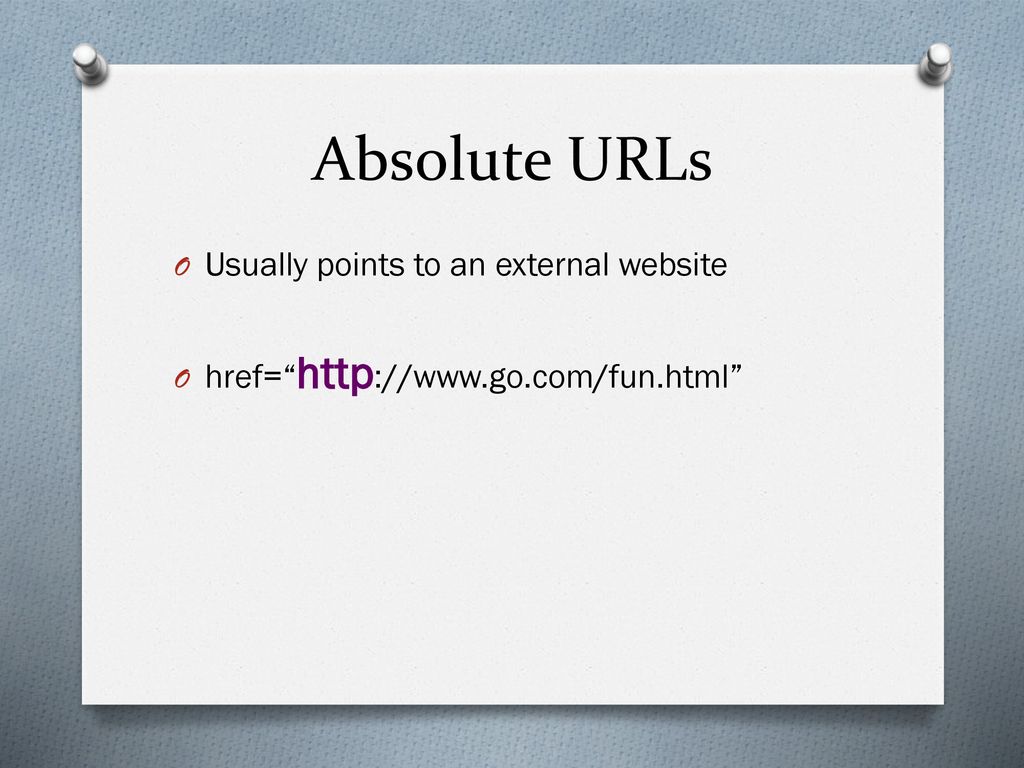
An absolute URL is a full web address that includes the protocol (http:// or https://), domain name, and the specific path to a resource. It provides a complete location reference for a webpage or file.
Example of an Absolute URL:
https://www.example.com/about.html
Where and Why are absolute URLs used?
Absolute URLs are commonly used in the following ways:
- Internal and external linking to ensure consistency.
- Canonical tags to indicate the preferred version of a page.
- Sitemaps to help search engines crawl and index pages correctly.
- Backlinks to ensure proper referral traffic from external sites.
Advantages of Absolute URLs
Unambiguous – Removes doubt in canonical tags, sitemaps, hreflang and feeds. For ordinary internal links Google treats both forms the same.
Consistency in Linking – Ensures links always point to the correct location.
Preferred for External Linking – Useful when linking to external websites or resources.
Survive Copying – Links in scraped copies of your content still point back to your site, which makes content theft easier to spot.
Disadvantages of Absolute URLs
Harder to Manage in Migrations – Changing the domain requires updating all absolute URLs.
More Characters in URL – Slightly more code in templates; negligible in practice.
Difficult for Staging Environments – Absolute URLs can cause issues when testing on different servers.
Can Cause Broken Links if Domain Changes – If not updated properly, absolute URLs may lead to dead pages.
What is a Relative URL?

A relative URL is a web address that does not include the domain name, relying on the current page’s location to determine the full path. It specifies the path relative to the domain or the current directory.
Example of a Relative URL:
/about.html (Resolves as https://www.example.com/about.html when used on example.com)
Where and Why Relative URLs Are Used?
Relative URLs are commonly used in:
- Internal linking to connect pages within the same website.
- Staging and testing environments where domain names may change.
- Website migrations to avoid updating numerous links when moving to a new domain.
- Dynamic websites where pages are generated based on user interactions.
Advantages of Relative URLs
Easier to Maintain Across Domain Changes – No need to update links when switching domains.
Useful for Internal Linking – Keeps site navigation flexible and manageable.
Preferred for Staging and Testing Environments – Allows seamless testing without modifying URLs.
Shorter URLs – Reduces unnecessary characters, making the code cleaner and reducing page size slightly.
Disadvantages of Relative URLs
Can Cause Duplicate Content Issues – Search engines might interpret multiple versions of a page if canonical tags are not set.
Not Ideal for External Linking – Cannot be used for outbound links since it lacks the full web address.
May Lead to Broken Links if Directory Structure Changes – Links may point to incorrect locations if folder structures are altered.
Less Clear for Crawlers – A wrong base path or a missing leading slash can create broken or duplicate URLs.
Pros and Cons Comparison OF Absolute and Relative URLs
| Factor | Absolute URLs | Relative URLs |
| SEO Benefits | Helps prevent duplicate content issues
Recommended by Google for canonical tags, sitemaps and hreflang Clearer for crawlers to index pages |
Can cause duplicate content issues if not handled correctly
Less clarity for search engines, requiring canonical tags |
| Maintenance | Difficult to update in case of domain changes or migrations
Requires manual updating if URLs change |
Easier to maintain across domain changes
Flexible for internal linking and dynamic site structures |
| Use Cases | Ideal for external links and backlinks
Best for canonical tags and sitemaps Recommended for SEO-critical pages |
Best for internal linking on the same domain
Useful for staging environments and testing Great for large websites with dynamic content |
| Side Effects | Scraped copies of your pages keep linking back to you
No difference in security; URL form has no bearing on phishing or exploits |
No difference in security either
A wrong base tag or missing leading slash can break every link on the page |
Impact on SEO
URLs are crucial in SEO, affecting how search engines index, crawl, and rank web pages. Choosing between absolute and relative URLs impacts duplicate content handling, site structure, and canonicalization.
How URLs Affect Indexing and Crawling
- Absolute URLs provide a clear reference for search engines, ensuring accurate indexing.
- Relative URLs rely on the page’s location, which can confuse crawlers if internal links are inconsistent.
- Proper URL structure improves crawl efficiency and ensures pages are discovered without redundancy.
Canonicalization and Duplicate Content Issues
- Duplicate content can arise when multiple URL versions exist (e.g., with and without “www” or with different protocols).
- Absolute URLs in canonical tags help search engines identify the preferred version of a page.
- Relative URLs without proper canonicalization may lead to search engines indexing multiple versions, diluting SEO value.
Best Practices in SEO for URL Structure
Use absolute URLs in canonical tags, XML sitemaps, and structured data to provide clear references for search engines.
Ensure consistent internal linking to prevent mixed use of absolute and relative URLs.
Implement 301 redirects properly when changing URLs to avoid link equity loss.
Add canonical tags to parameter URLs (filters, sorting, tracking) rather than avoiding query strings; they are normal and Google consolidates them when the canonical is set.
Google’s Preference for Absolute URLs
- For clarity, Google’s guidelines suggest using absolute URLs in canonical tags, sitemaps, and hreflang attributes.
- Absolute URLs help search engines avoid ambiguity in multi-domain setups and large-scale websites.
Relative URLs and Canonical Tags
- Relative URLs can be used for internal navigation but must be paired with absolute canonical URLs to prevent duplication.
- Websites using relative URLs should ensure correct server configurations to avoid indexing errors.
Best Practices for Using URLs
Choosing the right URL type depends on your website structure, SEO goals, and maintenance needs. Below are the best practices for using absolute and relative URLs in different scenarios.
When to Use Absolute URLs
External Linking
- Always use absolute URLs when linking to external websites to ensure proper redirection.
- Example: <a href=”https://example.com”>Visit Example</a>
Canonical Tags
- Absolute URLs are essential for canonicalization, helping search engines identify the preferred version of a page.
- Example: <link rel=”canonical” href=”https://example.com/page”>
Preventing Duplicate Content
- Using absolute URLs ensures that search engines do not create multiple indexed versions of the same page.
- Important for websites with multiple subdomains or HTTP/HTTPS variations.
When to Use Relative URLs
Internal Linking in Large Websites
- Helps keep internal links manageable without hardcoding the full domain.
- Example: <a href=”/blog-post”>Read More</a> instead of <a href=”https://example.com/blog-post”>Read More</a>
Staging Environments
- Relative URLs allow flexibility when testing websites on different servers before deployment.
- Avoids the need for constant link updates between staging and live sites.
Website Migrations
- If a website is moving to a new domain, relative URLs prevent broken links by automatically adapting to the new domain structure.
- Helps developers reduce manual link updates across multiple pages.
Three Types of Relative URLs
Not all relative URLs work the same way. The format you choose decides how the browser builds the full address. Assume the current page is https://example.com/blog/seo/page.html.
| Type | Example | Resolves to |
|---|---|---|
| Root-relative (starts with /) | /about/ | https://example.com/about/ |
| Document-relative (no leading slash) | tips.html | https://example.com/blog/seo/tips.html |
| Document-relative, parent folder | ../guide.html | https://example.com/blog/guide.html |
| Protocol-relative (starts with //) | //example.com/about/ | Uses the current protocol, so https://example.com/about/ |
Which one to use
- Root-relative links are the safest relative option. They work from any page depth and survive domain changes.
- Document-relative links break easily when pages move to another folder. Avoid them in templates and menus.
- Protocol-relative links are outdated. Now that sites should run fully on HTTPS, write
https://in full.
A common bug is a missing leading slash in a menu link. On deep pages, services/ becomes /blog/seo/services/, creating broken URLs that crawlers keep finding. A site crawler will flag these as 404s.
The base Tag: The Usual Cause of Broken Relative Links
The HTML <base href="..."> element in a page's <head> changes how every relative URL on that page resolves. With <base href="https://example.com/shop/">, a link written as cart.html becomes https://example.com/shop/cart.html no matter which folder the page sits in. Themes and page builders sometimes add a base tag, and a wrong value breaks every relative link, image and script on the site at once, often right after a theme change or a move to a new domain.
- Check the page source for a
<base>tag before blaming the links themselves. - If you use one, give it the full https address of the site root, and keep it identical on staging and production.
- Most sites do not need it. Root-relative links (starting with
/) solve the same problem without the risk.
Our free redirect checker and on-page SEO checker help confirm that the final URLs resolve where you expect.
Frequently asked questions
Do relative URLs hurt SEO?
No. Google resolves relative links without trouble, and there is no ranking difference between relative and absolute internal links. Problems only appear when a site is reachable at several versions, such as HTTP and HTTPS or www and non-www, because relative links then keep crawlers on whichever version they entered. Redirect all versions to one and the risk goes away.
Should internal links be relative or absolute in WordPress?
WordPress stores absolute URLs in posts and menus by default, and that is fine. It keeps links working in RSS feeds, emails and copied content. When you change domain, use a search-and-replace tool or WP-CLI to update old URLs across the database, then add 301 redirects from the old domain. You do not need to convert links to relative ones.
Can a canonical tag use a relative URL?
It is technically allowed, but Google recommends absolute URLs for canonical tags. A relative canonical can point to the wrong version if the page is served on a staging domain, over HTTP, or on another hostname. Use the full https URL of the preferred page, for example https://example.com/page/, to remove any doubt.
Are URLs case-sensitive?
The domain part is not case-sensitive, so Example.com and example.com are the same. The path after the domain can be case-sensitive, depending on the server. On many Linux servers, /About and /about are different pages. Use lowercase paths everywhere and redirect uppercase variants to avoid broken links and duplicate URLs.
Do query strings in URLs cause duplicate content?
Only when the same content is reachable at several parameter versions and nothing tells Google which one counts. Parameters for filters, sorting and tracking are normal. Set a canonical tag on each parameter URL that points to the main version, keep tracking parameters out of internal links, and Google will consolidate them. Search Console's Page indexing report shows which parameter URLs it chose not to index.