How to Write Meta Descriptions That Drive Clicks: Guide and Examples
Meta descriptions are often overlooked yet powerful elements of on-page SEO. These concise snippets of text, displayed below the title and URL in search engine results, act as a first impression for your audience. Think of them as a digital elevator pitch that can determine whether a user clicks on your link or scrolls past it.
Key takeaways
- A meta description is the short summary under your title in search results; it is not a ranking factor but strongly affects clicks.
- Keep it around 120-155 characters (Google cuts by pixel width, not a fixed count), lead with the primary keyword, use active voice and end with a clear reason to click.
- Every page needs a unique, honest description that matches search intent; misleading or stuffed descriptions hurt trust.
- Descriptions still matter when an AI Overview sits above the results; a clear first paragraph helps both the snippet and AI citations.
- Test descriptions on pages with high impressions but low CTR, and track the results in Google Search Console.
While meta descriptions don’t directly influence search engine rankings, their value lies in boosting Click-Through Rates (CTR). A well-written meta description aligns with user intent, incorporates compelling language, and provides a clear reason to visit your webpage. When crafted strategically, they increase organic traffic and enhance the overall user experience by setting accurate expectations about your content.
What is a Meta Description?
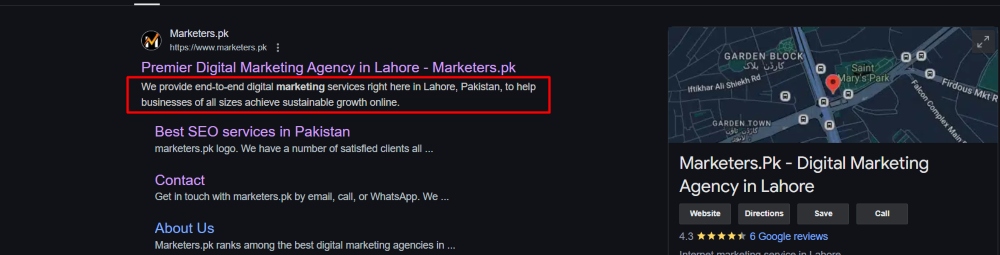
A meta description is a brief text snippet summarizing a webpage’s content. It is typically displayed below the title and URL in search engine results, giving users a quick preview of what they can expect from the page. These descriptions are also often used in social media shares, making them essential for driving engagement across platforms.
Meta descriptions are crucial for enticing users to click on a link. When crafted effectively, they highlight the most relevant aspects of a page and connect directly with the user’s search intent. For instance, if someone searches for “how to bake a chocolate cake,” a meta description like “Learn the secrets to baking the perfect chocolate cake with this easy, step-by-step guide” directly appeals to their needs.
Aligning meta descriptions with user intent is vital for their success. They should reflect the page’s content and set accurate expectations, ensuring that visitors find what they’re looking for. This alignment builds trust, reduces bounce rates, and ultimately drives better engagement and conversion rates.
What Makes a Good Meta Description?
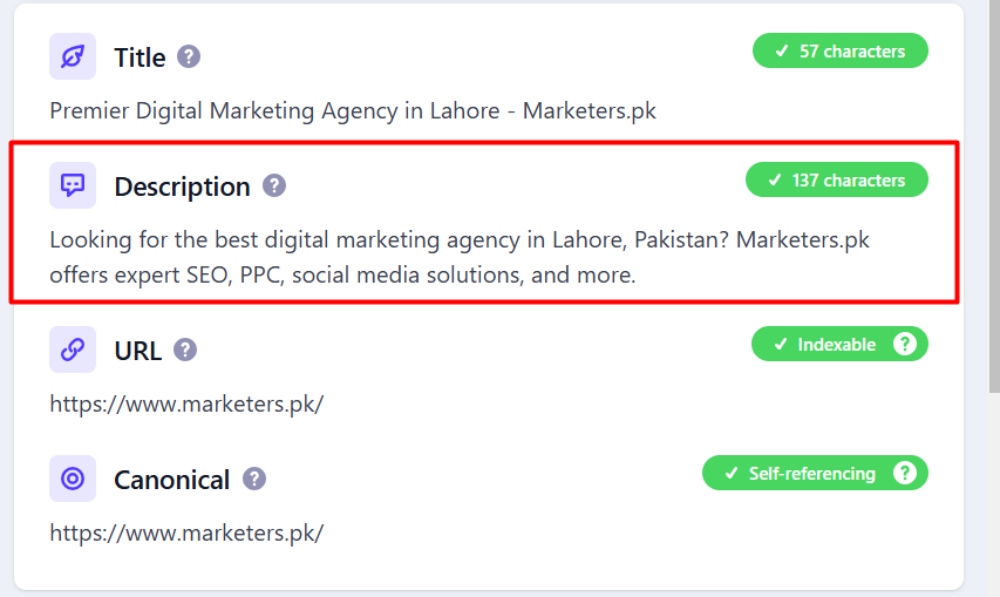
A good meta description is your chance to make a strong first impression on potential visitors. It combines clarity, relevance, and strategic keyword usage to capture attention and encourage clicks. Here are the key characteristics of an effective meta-description:
Concise Yet Informative
Meta descriptions should be brief but impactful. The ideal length is between 120 and 155 characters, ensuring they are fully displayed on desktop and mobile search results. Too short, and you miss the chance to convey value; too long, and your message might be truncated. Aim to deliver your message succinctly while maintaining clarity.
Relevant and Aligned with the Page’s Content
Your meta description should accurately summarize the content of the webpage. Misleading descriptions can frustrate users and increase bounce rates, negatively impacting your SEO performance. A description that aligns with the content reassures users they’ve found what they’re looking for and builds trust.
Naturally Incorporates Keywords
Keywords play a pivotal role in meta descriptions. Including your primary keyword naturally within the description can improve visibility in search results and make your listing more relevant to user queries. Search engines often highlight these keywords in bold, drawing attention to your link and increasing its chances of being clicked.
Bonus Tip:
Craft your meta description with your target audience in mind. Speak directly to their needs and include language that resonates with them, such as a call-to-action (CTA) or benefit-driven phrases like “Discover,” “Learn,” or “Get Started.” This approach grabs attention and sets your page apart from the competition.
How to Write Meta Descriptions: Best Practices
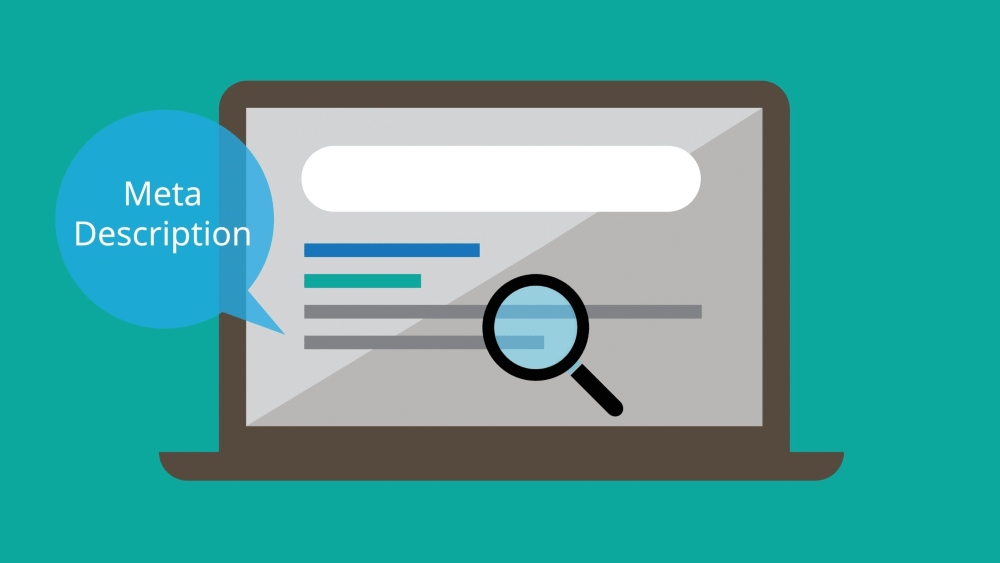
Crafting effective meta descriptions requires a balance of technical precision and creative flair. By following these best practices, you can create descriptions that not only grab attention but also drive clicks and enhance user experience:
Length Guidelines
Meta descriptions should ideally fall between 120 and 155 characters. Google actually truncates by pixel width rather than by a fixed character count, roughly 920 pixels on desktop and a little less on mobile, so a description full of wide letters such as W and M is cut sooner than one with narrow letters. Staying near 150 characters and putting the important words first keeps the message intact on both.
Use Active Voice
Active voice makes your meta description more engaging and action-oriented. It directly addresses the reader and encourages them to take action.
Example: “Discover the best tips for crafting engaging meta descriptions today.”
Include a Call to Action (CTA)
A strong Call-to-Action (CTA) motivates users to click. Use phrases like “Learn more,” “Explore now,” or “Shop the latest trends” to prompt engagement and guide users toward the next step.
Focus on Keywords
Incorporate your primary keyword naturally within the description. Keywords aligned with user intent improve relevance and are often bolded by search engines, drawing the user’s eye to your listing. Avoid keyword stuffing, as it can appear spammy and harm readability.
Ensure Relevance
Your meta description should accurately reflect the content on the page. Misleading descriptions may attract clicks but lead to high bounce rates and reduced user trust. Provide a concise summary that sets realistic expectations about what users will find.
Avoid Duplication
Each page on your website should have a unique meta description. Duplicate descriptions confuse search engines and users, reducing your site’s search visibility. Tailor each description to the specific content of its page.
Use Emotional Triggers
Incorporate language that sparks curiosity, urgency, or excitement. Words like “exclusive,” “essential,” or “don’t miss” can create a sense of importance, prompting users to take action.
Address User Intent
Consider what your audience is searching for and tailor your meta description to meet their needs. Addressing their queries directly and providing value increases the likelihood of engagement.
Examples of Effective Meta Descriptions
Let’s explore examples from various industries to understand better what makes a meta description successful. We’ll analyze their strengths in length, tone, and keyword usage while contrasting them with poorly written meta descriptions to highlight key takeaways.
E-commerce Example
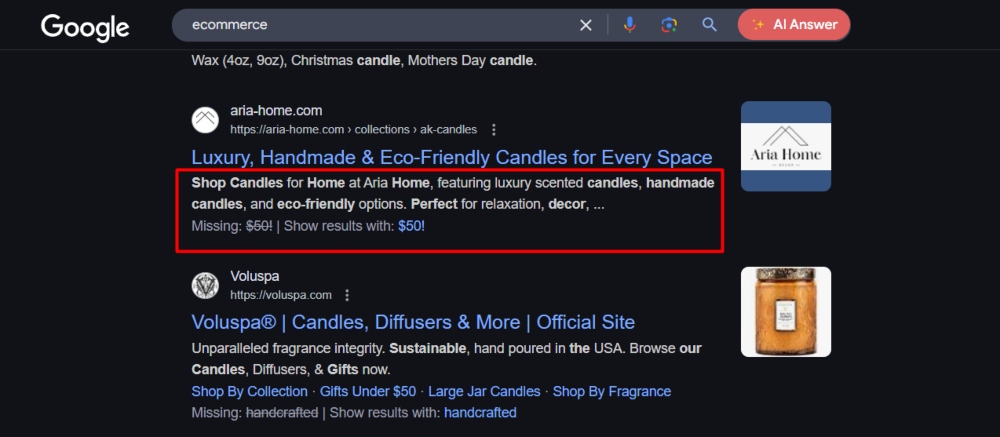
Effective Meta Description:
“Shop our collection of eco-friendly, handcrafted candles. Perfect for gifts or home décor—free delivery across Pakistan on orders over PKR 5,000!”
Why It Works:
- Length: Fits within the 120–155 character limit, ensuring no truncation.
- Tone: Friendly and benefit-driven, appealing to gift buyers and eco-conscious shoppers.
- Keywords: Includes “eco-friendly,” “handcrafted candles,” and “free delivery,” aligning with search intent.
- Call-to-Action: Invites users to shop with an added incentive (free delivery).
Poorly Written Example:
“We sell candles. Visit our site to learn more.”
- Why It Fails: Generic, uninformative, and lacks appeal or keywords.
Blog Post Example
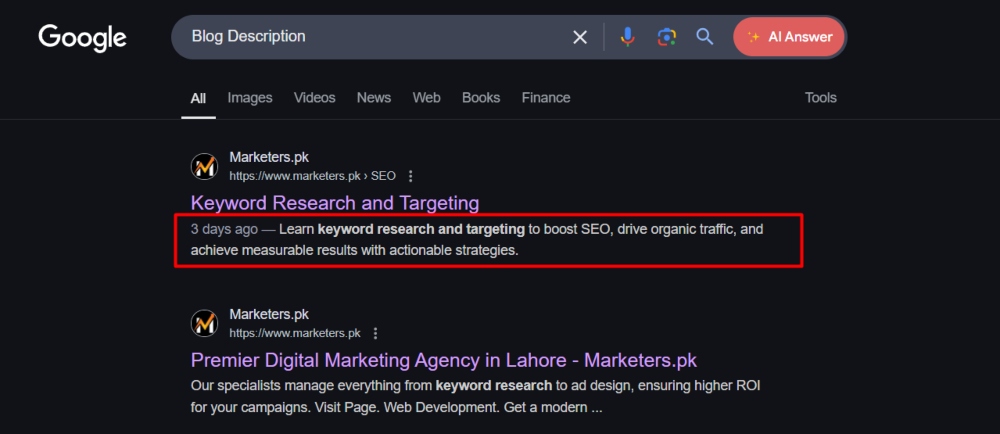
Effective Meta Description:
“Learn 10 proven strategies for boosting your website’s SEO. Stay ahead of the competition with actionable tips from experts.”
Why It Works:
- Length: Concise and to the point.
- Tone: Engaging and authoritative, promising value to the reader.
- Keywords: Includes “boosting your website’s SEO” and “actionable tips.”
- Call-to-Action: Encourages users to “learn” and improve their SEO strategies.
Poorly Written Example:
“Read this blog about SEO tips.”
- Why It Fails: Too vague, lacks keywords and doesn’t highlight the article’s unique value.
Local Business Example
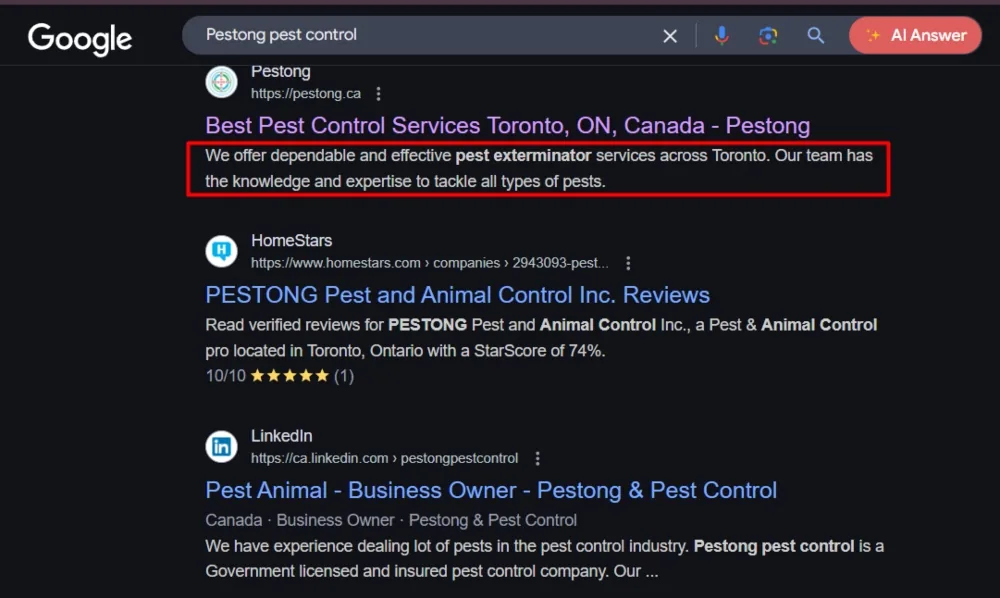
“Looking for reliable pest control in Lahore? Our certified team treats termites, bed bugs and mosquitoes in DHA, Gulberg and Johar Town, with same-day visits.”
Why It Works:
- Length: Fits well within the character limit.
- Tone: Professional and reassuring, addressing potential customer concerns.
- Keywords: Includes “pest control in Lahore,” “certified team,” and the areas a local searcher recognises.
- User Intent: Directly speaks to local customers seeking pest control services.
Poorly Written Example:
“Best pest control services in town. Contact us now!”
- Why It Fails: Overly generic, lacks specificity, and doesn’t convey trust or professionalism.
SaaS/Technology Example
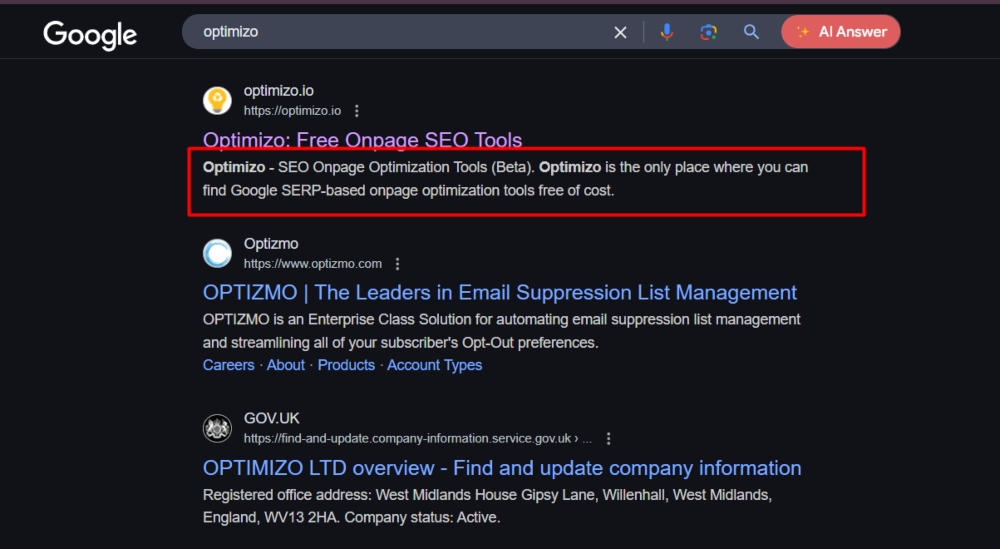
Effective Meta Description:
“Streamline your workflow with our all-in-one project management tool. Try it free for 30 days—no credit card required.”
Why It Works:
- Length: Compact and clear.
- Tone: Persuasive and benefit-driven.
- Keywords: Includes “project management tool” and “streamline your workflow.”
- Call-to-Action: Highlights a free trial offer with no risk to the user.
Poorly Written Example:
“Sign up for our software now.”
- Why It Fails: Lacks detail, appeal, and user-focused benefits.
Key Takeaways
- Use specific keywords that align with user queries to improve relevance.
- Write for your target audience, addressing their needs and providing a compelling reason to click.
- Keep descriptions concise, engaging, and benefit-driven.
- Avoid vague or overly generic language, as it fails to differentiate your content or appeal to users.
Advanced Strategies for Meta Descriptions
For those looking to go beyond the basics, advanced strategies can help optimize meta descriptions to drive even better results. These techniques enhance users’ visibility, engagement, and personalization, giving your pages a competitive edge.
Rich Snippets and Structured Data
Adding schema markup to your website can transform your meta descriptions by including additional details like ratings, prices, and availability. These rich snippets make your listing stand out and give users more context about your content.
- Example: A product page with a meta description with “4.8-star rating, $19.99, in stock” is far more enticing than one without these details.
- How to Implement: Add schema through your SEO plugin (Yoast SEO and Rank Math both include schema settings), then check the page with Google’s Rich Results Test or our free schema validator. Note that Google stopped showing FAQ rich results in 2026, so stick to types that still display, such as Product, Review and Breadcrumb.
Using Power Words
Powerful words in your meta descriptions can evoke curiosity, urgency, or excitement, driving higher click-through rates. These words appeal to emotions and create a sense of action.
- Examples of Power Words: Exclusive, Ultimate, Free, Proven, Essential, Limited, Discover, Learn.
- Example Meta Description: “Discover the ultimate guide to saving money—essential tips and tricks for every budget.”
- Use powerful words sparingly to maintain authenticity and avoid over-promising.
Localized Meta Descriptions
Crafting localized meta descriptions can improve your local SEO performance if your business serves a specific geographic area.
Tips:
-
- Include location-specific keywords (e.g., “plumbing services in Lahore”).
- Highlight local benefits like fast response times or community involvement.
- Example: “Need a reliable plumber in Lahore? Our 24/7 team reaches DHA, Gulberg and Bahria Town within the hour at fixed, upfront rates.”
Localized meta descriptions directly target local searchers, increasing relevance and engagement.
A/B Testing Meta Descriptions
Not all meta descriptions perform equally well, so it’s essential to experiment with different approaches to find what resonates with your audience.
How to A/B Test:
- Create two variations of a meta description for the same page.
- Monitor performance metrics like click-through rate (CTR) using tools like Google Search Console.
- Identify patterns in successful descriptions and refine them accordingly.
- This iterative process helps you continuously optimize your meta descriptions for better results.
AI Tools for Meta Descriptions
AI-powered tools can simplify and enhance the process of writing meta descriptions. They offer suggestions tailored to your content and help ensure optimal length, tone, and keyword integration.
Recommended Tools:
-
- Yoast SEO and Rank Math: both show a live snippet preview and a length bar inside WordPress, and both now include AI generators for titles and descriptions.
- Semrush: Offers insights into keyword optimization and competitor analysis.
- ChatGPT, Gemini or Claude: paste the page’s opening paragraph and ask for five descriptions under 155 characters with the keyword first. Paid writers such as Jasper do the same job inside a content workflow.
Pro Tip: Use AI tools as a starting point, but always refine the suggestions to ensure they align with your brand voice and audience needs.
Common Mistakes to Avoid
Even a small oversight can undermine the effectiveness of your meta descriptions. By removing these common mistakes, you can ensure your descriptions remain impactful and align with user expectations and SEO best practices.
Keyword Stuffing or Unnatural Language
Overloading meta descriptions with keywords can make them appear spammy and unappealing to users. While keywords are essential, they should be incorporated naturally and contextually.
- What to Avoid: “Best shoes, affordable shoes, buy shoes online for men and women.”
- Why It’s a Mistake: Keyword stuffing detracts from readability and trust, discouraging clicks and potentially harming your SEO.
- What to Do Instead: Focus on user-friendly language that includes keywords seamlessly.
- Example: “Shop the best collection of men’s and women’s shoes—affordable styles for every occasion.”
Over-promising or Misleading Content
Meta descriptions that promise something the page doesn’t deliver can lead to high bounce rates and damaged user trust.
- What to Avoid: “Get a free iPhone today!” (if the page only offers a discount or unrelated content).
- Why It’s a Mistake: Misleading content frustrates users and signals to search engines that your page may not meet user expectations.
- What to Do Instead: Be honest and set realistic expectations about what users will find.
- Example: “Discover top tips for smartphone savings—expert advice and the season’s best deals.”
Ignoring Mobile-First Considerations
With most searches happening on mobile devices, ignoring mobile-first optimization can result in truncated or less effective meta descriptions.
- What to Avoid: Writing descriptions that are too long or not tailored to mobile devices.
- Why It’s a Mistake: If your description is cut off, mobile users may miss critical information.
- What to Do Instead: Keep meta descriptions concise and impactful within 120–155 characters to ensure they display correctly on both desktop and mobile.
Relying on Auto-Generated Descriptions
Allowing search engines to auto-generate meta descriptions from page content may result in irrelevant or poorly optimized snippets.
- What to Avoid: Leaving the meta description field blank or relying on default text.
- Why It’s a Mistake: Auto-generated descriptions often lack focus and fail to align with search intent, reducing CTR.
- What to Do Instead: Write a custom, relevant meta description for each important page, aligned with user intent.
- Example: Replace generic snippets like “Welcome to our website” with something specific like “Explore our range of sustainable home products—eco-friendly solutions for every room.”
Why Google Rewrites Meta Descriptions and How to Reduce It
Google does not always show the description you wrote. It often builds its own snippet from page text when it thinks that text answers the specific search better. This is normal, and it happens more for long-tail queries than for the main keyword a page targets.
Google is more likely to replace your description when:
- It is missing, very short or the same as on other pages.
- It is a list of keywords rather than a sentence.
- It does not match what the page actually covers.
- The search is for a detail that appears in the body text but not in the description.
A simple formula that works
For most pages, this structure gives Google little reason to rewrite and gives searchers a reason to click:
- What the page is, with the primary keyword in the first few words.
- The specific benefit or detail that sets it apart, such as delivery area, price range, format or number of examples.
- A short, honest call to action such as "Compare options", "See the checklist" or "Order online".
Example for a service page: "Wedding photography in Lahore for mehndi, barat and walima. See full-day packages, sample albums and available dates for this season."
How to check which description Google shows
Search for your target keyword, or use site:yourdomain.com plus a keyword, and compare the snippet with the description in your page source. Our free meta tag analyser shows the title and description Google will read, with their lengths. If Google keeps using body text instead, make the opening paragraph of the page clearer as well, since that is often where the replacement snippet comes from.
Meta Descriptions When AI Overviews and AI Mode Appear
As of October 2026, many informational searches in Pakistan show an AI Overview above the organic results, and searchers can switch to AI Mode for a conversational answer. Both push the classic snippets further down, so fewer people see them on those queries. Two things follow for meta descriptions.
- They still decide clicks where clicks happen. Searches with buying or local intent, such as "dental clinic Johar Town" or "laptop price in Lahore", usually show a normal results page or a map pack, and your description is what separates you from the listing above and below.
- The first paragraph now does double duty. AI Overviews and AI Mode quote pages that state the answer plainly near the top. Write the opening paragraph so it could stand in for the description, then let the meta description summarise it. Pages built this way are more likely to be cited and keep a usable snippet when Google rewrites it.
Search Console does not separate AI Overview or AI Mode traffic from Web search, so judge changes by total impressions and clicks for the page over a few weeks.
FAQ’s
Do Meta Descriptions Directly Affect Rankings?
No, meta descriptions do not directly affect search engine rankings. Google has stated that meta descriptions are not a ranking factor, and it has not confirmed click-through rate as one either. Their value is simpler than that: a better description earns more clicks from the same impressions, so you get more visitors without moving up a single position.
Can I Leave the Meta Description Blank and Rely on Google’s Auto-Generated Text?
While you can leave the meta description blank, it’s not recommended. Google may automatically generate a snippet based on the content of your page, but this auto-generated text may not be as compelling or relevant as a custom-written description.
- Why It’s Risky: Auto-generated descriptions may not align with user intent or include keywords, reducing your CTR.
- Best Practice: Always create a custom meta description tailored to your content and target audience.
How Often Should I Update My Meta Descriptions?
Updating meta descriptions depends on several factors, such as changes in your content, keywords, or SEO strategy.
When to Update:
-
- If you’ve significantly revised a page’s content.
- When your CTR metrics indicate underperformance.
- If search trends or user intent for your target keywords have evolved.
Pro Tip: Regularly review and audit your meta descriptions as part of your overall SEO maintenance to ensure they remain optimized and effective.
What’s the Difference Between a Meta Description and Meta Keywords?
Meta descriptions and meta keywords are both HTML meta tags, but they serve different purposes:
Meta Description:
-
- A summary of the page’s content that appears in search engine results.
- Designed to attract users and improve CTR.
- Still relevant in modern SEO.
Meta Keywords:
-
- A tag is used to specify a list of keywords relevant to a page.
- Major search engines like Google no longer use it as a ranking factor.
- Generally considered outdated and unnecessary in today’s SEO practices.