Meta Title Tags Explained: What They Are & How to Optimize Them

The meta title tag is a small but powerful element in search engine optimization (SEO). It serves as the headline in search engine results, offering users their first impression of your webpage. A well-crafted meta title grabs attention and plays a key role in improving your click-through rate (CTR) and search engine visibility.
Key takeaways
- A meta title tag is the HTML <title> element that shows as the clickable headline in search results and in browser tabs.
- Aim for roughly 50-60 characters (about 600 pixels on desktop) so the title is not cut off; short descriptive titles are fine.
- Put the primary keyword near the start, keep each title unique, and add the brand at the end.
- Google rewrites stuffed, duplicate or misleading titles rather than penalising them; a clear title also helps AI Overviews and chat assistants cite you.
- Audit titles with Search Console (impressions vs clicks), a crawler like Screaming Frog, and your SEO plugin.
This seemingly simple HTML tag holds immense value for users and search engines. By accurately summarizing the content of a webpage and incorporating relevant keywords, meta title tags help search engines understand your content while encouraging users to click on your link. Understanding its significance is essential for anyone aiming to improve their website’s performance in search results.
What is a Meta Title Tag?
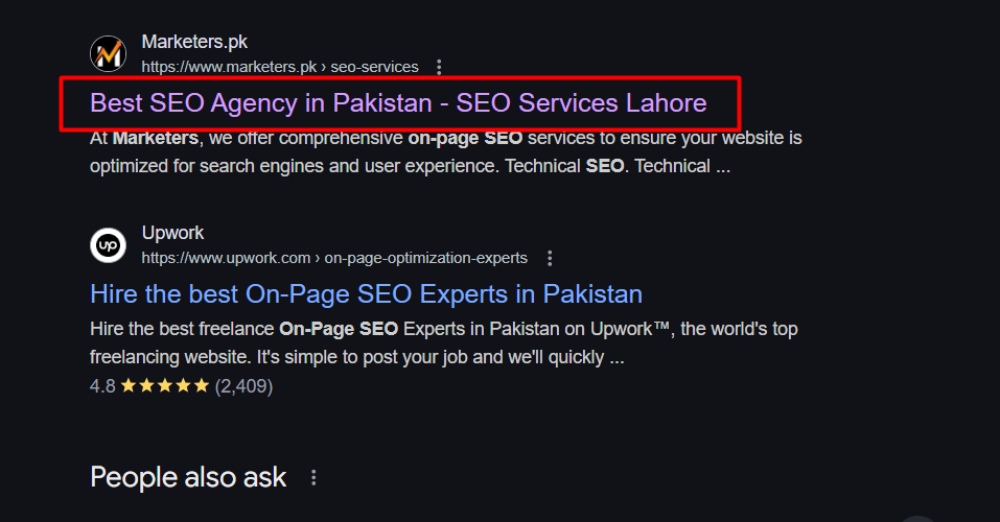
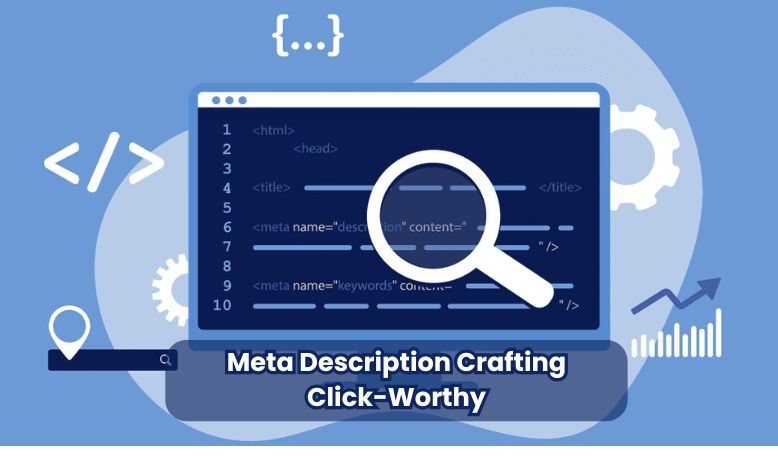
A meta title tag is an HTML element that defines the title of a webpage. It serves as the primary headline displayed in search engine results and browser tabs, giving users and search engines a clear understanding of the page’s content. In SEO, meta title tags are essential for improving a page’s search visibility and influencing user engagement.
When a user searches online, the meta title tag appears as the clickable link in search engine results. It’s also visible on browser tabs, helping users easily identify and switch between open tabs. Search engines typically display the first 50-60 characters of a meta title, so keeping your titles within this range is essential to avoid truncation.
Here’s an example of a simple meta title tag in HTML:
<head><title>What is a Meta Title Tag? - A Guide to SEO Basics</title></head>
Writing clear and relevant meta titles can boost user engagement and your website’s ranking potential.
Importance of Meta Title Tags
Impact on SEO
Meta title tags are a cornerstone of search engine optimization (SEO). They directly influence click-through rates (CTR) by encouraging users to click on your link when it appears in search engine results. A well-optimized meta title captures attention and helps search engines understand the relevance of your content to user queries. Furthermore, properly using keywords in your meta title boosts your chances of ranking higher in search results, making it an essential component of any SEO strategy.
Impact on Users
For users, the meta title tag acts as the first impression of your webpage. It provides a brief but vital page overview, helping them decide whether your content meets their needs. A clear, concise, and engaging meta title ensures that your page stands out among competitors, enhancing user trust and encouraging them to explore further.
You can craft meta titles that drive traffic and deliver value by focusing on search engine requirements and user expectations.
Recommended Meta Title Length
Optimal Length
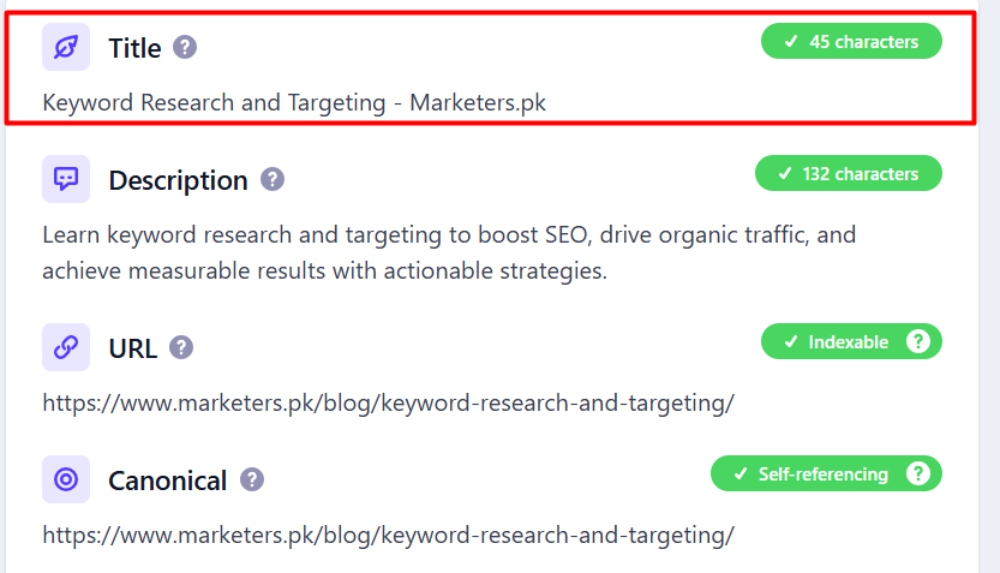
The ideal length for a meta title is between 50-60 characters. This range ensures that your title is fully visible in search engine results, preventing it from being truncated. Titles that exceed this limit are often cut off, leaving users with incomplete information about your page.
Importance of Proper Length
- Long Titles Get Cut Off: If your title is too long, search engines will display only the first 50-60 characters, followed by an ellipsis (…). This can reduce its impact and make it less appealing to users.
- Short Titles Are Fine: Google has no minimum length. A short title that describes the page is better than a padded one; just make sure it says what the page is about.
By keeping your titles within the recommended length, you can maintain their clarity, relevance, and effectiveness in engaging users and optimizing for search engines.
Pixel Length of Meta Title Tags for Desktop and Mobile
Understanding the right pixel length for your meta title tags is crucial for optimizing visibility across different devices. Here’s what you need to know:
Desktop Meta Titles
For desktop devices, the ideal pixel width is approximately 600 pixels. This allows your title to be fully visible on a typical desktop search results page without being cut off. Ensure that your titles are concise yet descriptive within this space to effectively convey the content of your page.
Mobile Meta Titles
On mobile, Google wraps titles over two lines and often shows more characters than on desktop, so there is no fixed pixel limit worth chasing. Put the words that matter in the first 50 to 55 characters so they survive any truncation on either device.
Tools for Measurement
To check how a title will look, use a SERP preview tool such as Mangools SERP Simulator or Moz’s Title Tag Preview Tool, or run the page through the marketers.pk Meta Tag Analyzer. They show how the title wraps on desktop and mobile so you can adjust it before publishing.
How to Write Effective Meta Title Tags
Best Practices
Creating effective meta title tags requires balancing SEO optimization and user relevance. Here are some best practices to follow:
- Include Primary Keywords Naturally:
Lead with the phrase people actually search, for example “Men’s Leather Jackets in Lahore”, and let the rest of the title describe the page. This helps your page’s visibility without compromising readability. - Keep Titles Concise and Relevant:
Stay within the 50-60 character limit to prevent truncation in search results. Ensure the title accurately reflects the content of the page. - Add Branding:
Include your brand name at the end of the title, separated by a delimiter like a pipe (|) or a dash (–). For example:
“How to Write Effective Meta Title Tags | Your Brand Name.”
Dos and Don’ts
Do:
- Ensure each page has a unique title that distinguishes it from others on your site.
- Align your title with the content to build user trust and improve engagement.
Don’t:
- Avoid keyword stuffing: since its August 2021 title update, Google rewrites titles it judges stuffed or repetitive, so the stuffed version never even shows, and it makes titles less appealing to users.
- Steer clear of misleading titles that don’t accurately describe the page; visitors leave quickly, and Google may replace the title with one taken from your page.
Meta Title Checker and Optimization Tools
Tools to Use

Optimizing meta title tags is easier with the help of specialized tools. Here are some of the best options:
- Yoast SEO or Rank Math:
WordPress plugins with an SEO title field that shows the length and a search preview as you type. - Google Search Console:
The Performance report, filtered to Pages, shows impressions and click-through rate for every URL; pages with many impressions and few clicks are the titles to rewrite first. - Screaming Frog SEO Spider:
Crawls your whole site and lists missing, duplicate and over-length titles in one pass (free for up to 500 URLs).
Common Mistakes to Avoid
Even small mistakes in meta title optimization can harm your SEO and user engagement. Here are some common pitfalls to watch out for and how to address them.
Pitfalls
- Using Duplicate Meta Titles:
Repeating the same meta title across multiple pages confuses search engines and users, potentially hurting your rankings. - Writing Titles That Are Too Long or Vague:
Titles longer than 60 characters get truncated in search results, and vague titles such as “Home” or “Services” give searchers no reason to click. - Not Aligning the Title with the Content:
Misleading or irrelevant titles can increase your bounce rate as users quickly leave the page after realizing the content doesn’t match their expectations.
Solutions
- Use Tools to Check Titles:
Tools like Yoast SEO, Screaming Frog and Google Search Console help ensure your titles are the right length and properly optimized. - Conduct Periodic SEO Audits:
Regularly review your website’s meta titles, starting with the pages that get many impressions but few clicks in Search Console, and to identify duplicates, overly long or vague titles, and those that need better alignment with the content.
By avoiding these mistakes and implementing the suggested solutions, you can ensure your meta titles contribute positively to your website’s SEO performance and user engagement.
Meta Title Examples: Weak vs Strong
The quickest way to improve a title is to compare it with a stronger version. Here are examples for common page types on a small business site.
| Page | Weak title | Stronger title |
|---|---|---|
| Home page | Home | Custom Leather Jackets in Lahore | Brand Name |
| Service page | Services - Our Company - Best Company | Commercial Cleaning Services in Karachi | Brand Name |
| Product page | Product 1045 | Men's Black Leather Wallet, RFID Blocking | Brand Name |
| Blog post | SEO SEO Tips Best SEO Tips SEO | 12 SEO Tips for Small Businesses on a Tight Budget |
What the stronger versions have in common:
- The main keyword comes first, so it survives truncation and matches what people scan for.
- They add a qualifier such as a city, material or audience that matches how people actually search.
- They are unique, so no two pages compete for the same query.
- The brand sits at the end, and can be dropped on long titles where it would push the keyword out of view.
How to find weak titles on your site
In Google Search Console, open the Performance report, switch to Pages, and sort by impressions. Pages with many impressions but a low click-through rate are the best candidates for a rewritten title. A crawler such as Screaming Frog will also list missing, duplicate and over-length titles across the whole site in one pass, and the free marketers.pk Meta Tag Analyzer checks a single page's title and description with a preview.
Titles in AI Overviews and chat answers
There is a newer reason to keep titles descriptive. When Google's AI Overviews or AI Mode cite a page, and when ChatGPT or Perplexity list their sources, the title is usually the text shown for the link. A title such as "Home" or "Untitled" gives the reader no reason to click, while "Commercial Cleaning Services in Karachi | Brand Name" tells them exactly what they will get. The same clarity helps the AI system decide that your page answers the question in the first place, so a plain, specific title now works for you in two places at once.
Frequently asked questions
Is the meta title the same as the H1?
No. The meta title lives in the page's HTML head and appears in search results and browser tabs. The H1 is the main heading visitors see on the page itself. They can be similar and should cover the same topic, but the title tag is often shorter and includes the brand name, while the H1 can be longer and written purely for readers.
Why does Google show a different title than the one I wrote?
Since its August 2021 title update, Google may rewrite a title when it thinks yours is too long, stuffed with keywords, repeated across many pages, missing, or does not match the page content. It then builds a title from the H1, other headings or anchor text. Writing a unique, accurate, concise title that matches the H1 closely reduces how often this happens, though you cannot fully prevent it.
Does changing a title tag affect rankings?
It can. The title tag is one of the clearest relevance signals on a page, so adding the right keyword or better matching search intent can help rankings and click-through rate. Changes can also hurt if you remove terms the page already ranks for. Change titles deliberately, note the date, and compare clicks and position in Google Search Console after a few weeks.
How do I change the meta title in WordPress?
Most WordPress sites use an SEO plugin such as Yoast SEO, Rank Math or All in One SEO. Open the page or post editor, scroll to the plugin's box, and edit the SEO title field. Without a plugin, WordPress usually uses the post title plus the site name. Save the page, then view the page source and look for the title element to confirm the change.